|
Home
Contact
Clients
Downloads
Examples
Search
Links
About
|
|
In peer to peer networking, there is no dedicated
server. Instead, each machine can act as both a server and a client to
each of the other machines on the network. this kind of networking is
suitable for small offices where there is a desire to share files for
greater efficiency.
Larger organisations and networks employ dedicated
servers running specialised server software. This is a complex area
requiring professionals to set up and maintain.
Peer to peer networks, on the other hand, are nowhere
near as daunting and once set up, should run trouble-free, requiring
little or no maintenance.
The first thing to decide upon, is the type of cabling
to be used. The most common types are coaxial (sometimes called thin
ethernet or BNC)
and twisted pair (sometimes called UTP, Category 5 or 10/100 Base T) .
With coaxial cabling, the machines are linked together
in a daisy chain arrangement with BNC connectors. A 'T' piece is
used to connect to each machine. The machines at each end of the chain use
a 'T' piece with End Terminators in the unused sockets. This is a simple method to set up, but it
can be problematic. If one of the connections to a machine becomes faulty,
it can cause all the other connections to be lost.
With twisted pair cabling, a hub is used. All the
machines have a cable which connects to the hub. This cabling uses UTP
plugs sockets, which are similar to those used in telephone systems. This is known as a star
arrangement. If one of the connections fails, using this method, it
doesn't normally affect the other connections.
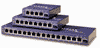
The hub does
exactly as its name suggests. It forms the hub of the network and sorts
out the directing of the network traffic. Hubs are usually described by
the number of ports, i.e. connnections, that they support. It's probabably
wise to get a hub with at least double the number of ports that you think
you will need, to allow for future expansion. However, the hubs themselves
can usually be linked together to allow for expansion of the network. Hubs
are not expensive and should not be confused with more expensive switches
and routers that are used in larger networks. 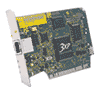 Each machine, or node as it is called, requires a
Network Interface Card (NIC). These are inexpensive and are fitted into a
spare ISA or PCI slot in each machine. For a small peer to peer network, a
10 Base T Ethernet cards are sufficient. 100 Base T Fast Ethernet cards
are better performing, but only if connected to a fast ethernet network. Each machine, or node as it is called, requires a
Network Interface Card (NIC). These are inexpensive and are fitted into a
spare ISA or PCI slot in each machine. For a small peer to peer network, a
10 Base T Ethernet cards are sufficient. 100 Base T Fast Ethernet cards
are better performing, but only if connected to a fast ethernet network.
The cards can be purchased with either type of
connector or, slightly more expensive, combi-cards with both types of
connectors.
With Windows 95, 98, ME or 2000, the network card will be auto-detected
when the machine is restarted and the software will be installed for it
(that's the theory anyway).
You may require the original operating system installation CD, or any
disks that came with the NICs.
On each machine, go to 'Control Panel', 'Network'. On the 'Identification'
tab, type a meaningful name for the computer. No spaces are allowed and
the name is limited to 15 characters. In the 'Workgroup' box, type a
workgroup name that will be used by all the machines. You don't need to
have all machines using the same workgroup, for instance, you could have
an 'ACCOUNTS' workgroup and a 'SALES' workgroup. But for simplicity, and
with only a few machines, it's simpler if they all belong to the same
workgroup.
On the 'Configuration' tab, you may need to add 'Client for Microsoft
Networks' and 'File and Printer Sharing for Microsoft Networks' if they
are not already there. Click the 'File and Print Sharing' button and tick
both boxes to enable file and printer sharing.
Now you need to decide which folders and printers you want to share.
Right-click the folder and click 'Sharing'. Set the share name and the
level of share. The folder icon will change to the shared folder icon. DO
NOT allow sharing for all the folders, or to any system folders such as
'Windows' or 'Program Files', etc., on any machines. Instead you should
create special folders specifically for sharing.
|
|
Inmac incorporates LAN Warehouse.
3Com very reliable equipment. |